Overview

Redesigning an handheld medical device driven by
Common Instrument Platform (CIP) Design System.

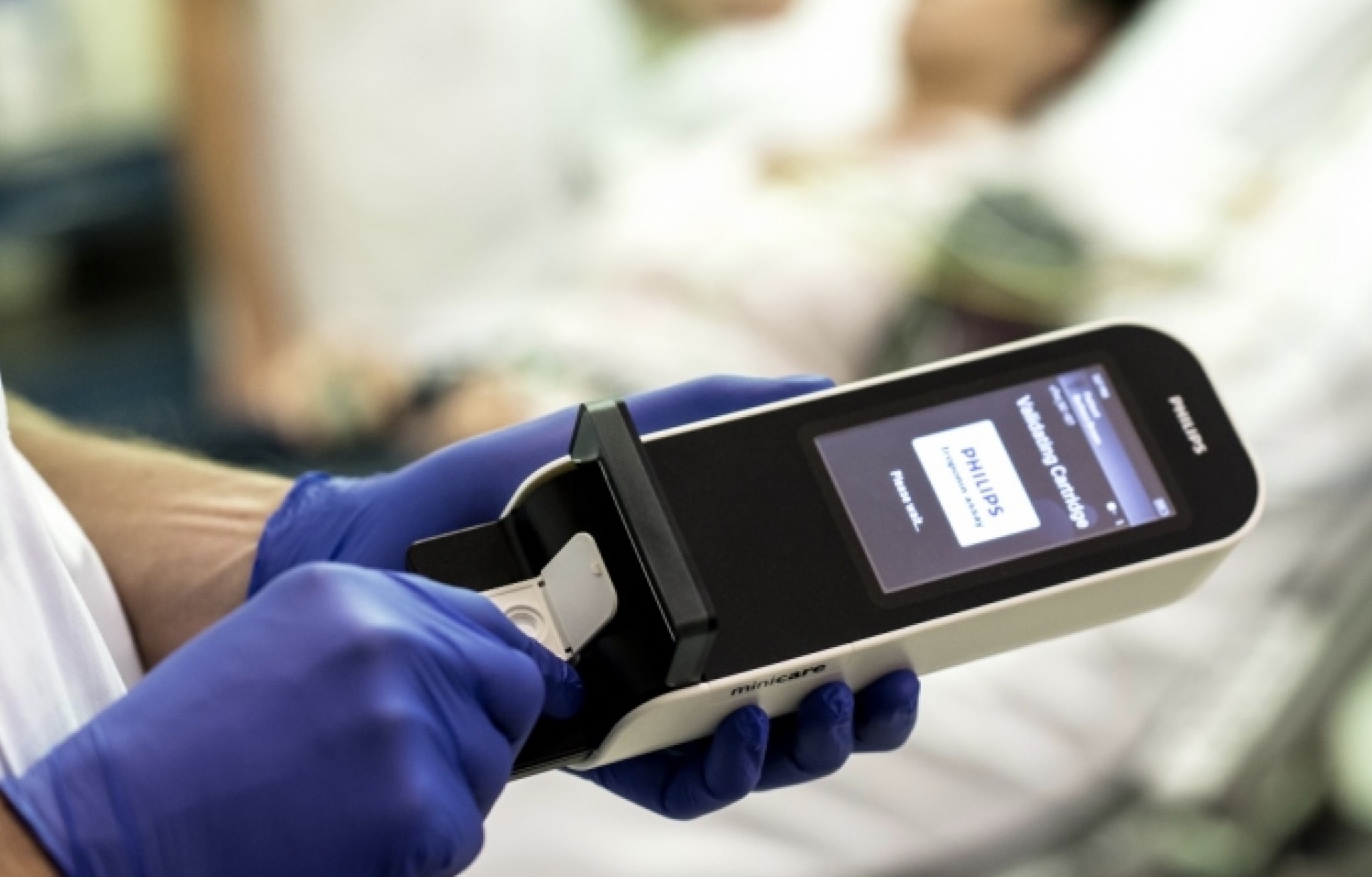
Atellica VTLi is a handheld, point-of-care diagnostic device designed
to deliver rapid immunoassay results directly at the bedside.

Following Siemens Healthineers’ acquisition of Minicare, the product
required a complete UX transformation; not just a visual rebrand, but
a system-level integration into the Atellica ecosystem.

Role

UI Designer

Responsabilities

Software Architecture, Information design, Workflow Systems

Platform

Embedded (Microsoft WEC2013)

Collaborators

Project Manager, Software Engineers

Timeline

October 2019 – February 2020

The Challenge

The existing Minicare system presented three critical challenges:

  • Fragmented UX patterns that did not align with
    Siemens Healthineers’ ecosystem
  • Inconsistent workflows across critical clinical tasks
  • High cognitive load during test execution
  • Limited scalability for future point-of-care devices

At the same time, this was not a typical redesign.

This was a regulated medical environment, where:

  • Workflows are tied to patient safety
  • Errors can directly impact clinical outcomes
  • UI changes must align with strict system and hardware constraints

The core challenge became:
How do we transform an existing medical device UX into a scalable, standardized system without disrupting critical clinical workflows?

My Role

As the lead product designer, I worked closely with engineering to:

  • Translate the Common Instrument Platform (CIP) into a working product
  • Redesign workflows while preserving clinical accuracy and safety
  • Implement Siemens Healthineers design standards across the device
  • Deliver end-to-end UX, from flows, wireframes to UI specifications

This required balancing:

  • System constraints (embedded software, hardware limitations)
  • Clinical workflows
  • Brand and design system consistency
ignited image

Goals

Business Goals

  • Integrate the device into the Atellica ecosystem
  • Improve operational efficiency in clinical environments
  • Enable scalability across point-of-care products

Design Goals

  • Create a simple, intuitive workflow for clinicians
  • Reduce cognitive load during high-pressure tasks
  • Standardize UI using the CIP design system
  • Adapt, not reinvent, the existing workflow

Approach

System-Driven Design

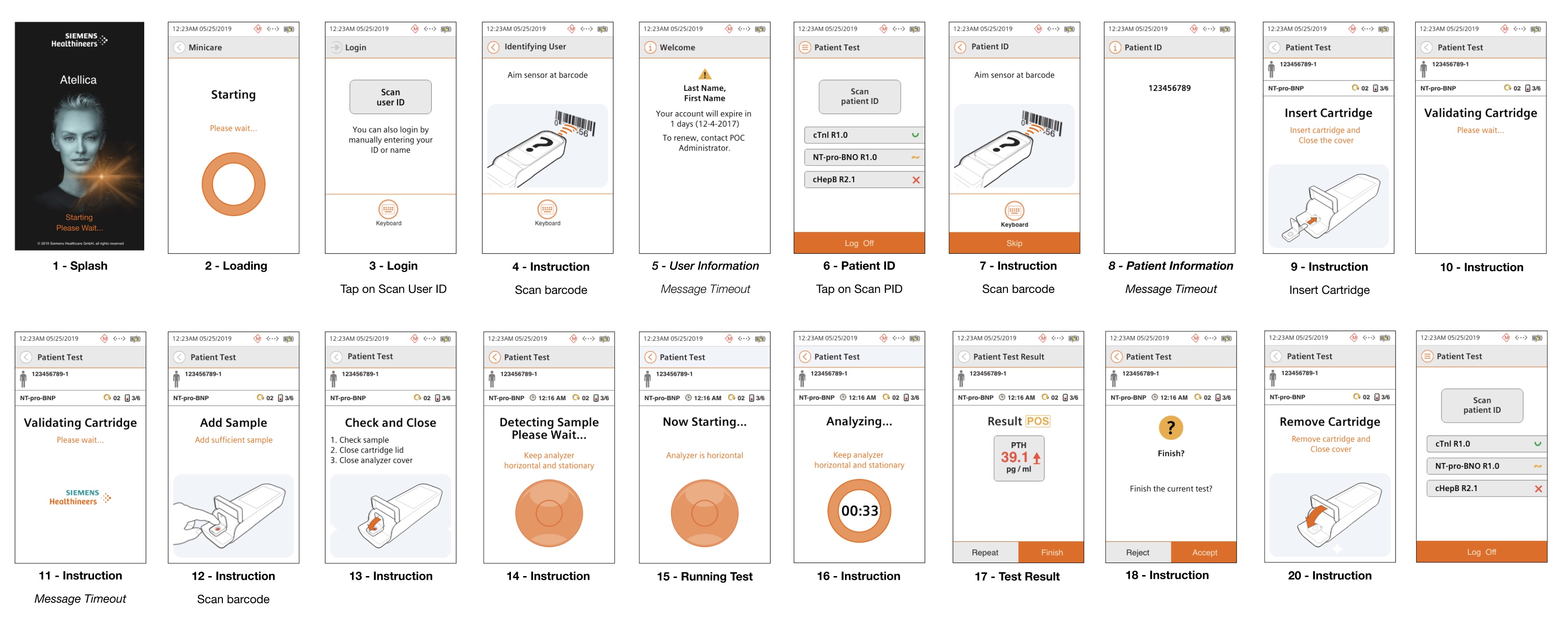
Rather than designing screens in isolation, I approached the product as a connected system of workflows. We broke the product down into core modules:

  • User Identification
  • Patient Identification
  • Cartridge Handling
  • Sample Analysis
  • Results & Review
  • Device State (booting, errors, updates)

Each module had:

  • Mandatory flows (clinical-critical)
  • Exception states (errors, timeouts)
  • Alternative paths (manual input, retries)

Design Sprints & Cross-Functional Collaboration

We ran design sprints with engineering, focusing on one workflow at a time.
This allowed us to:

  • Validate feasibility early
  • Align on system behavior (not just UI)
  • Reduce downstream rework

Adapting the Design System (CIP)

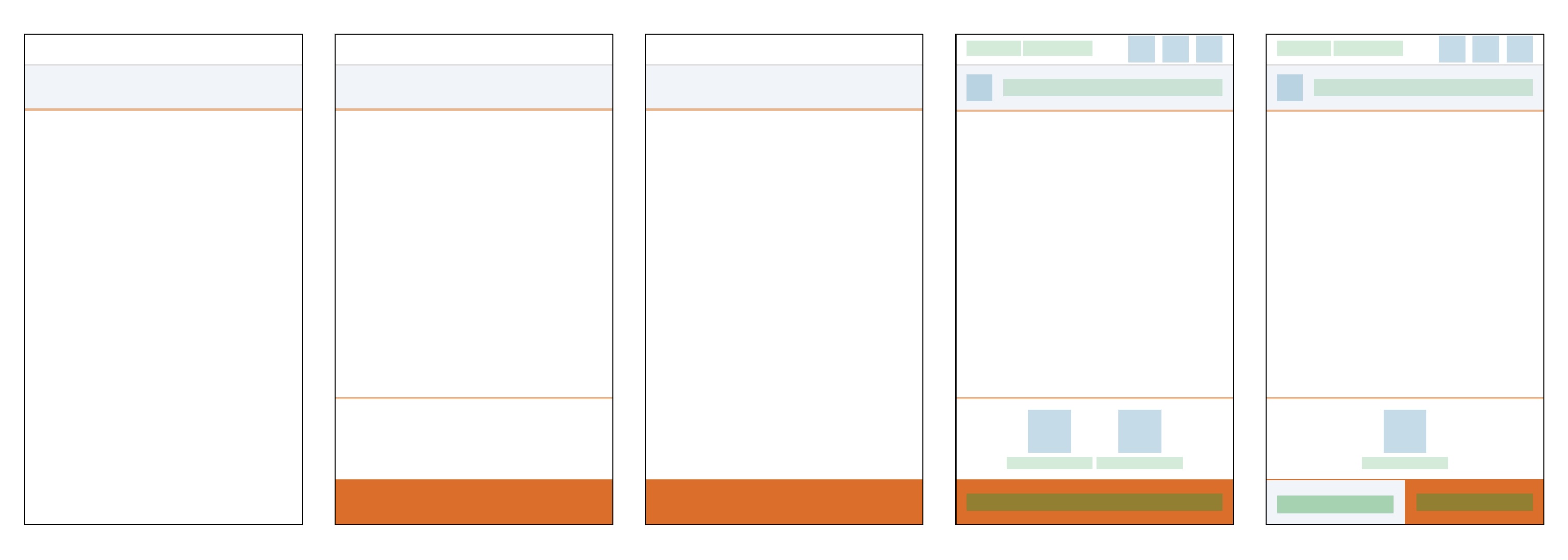
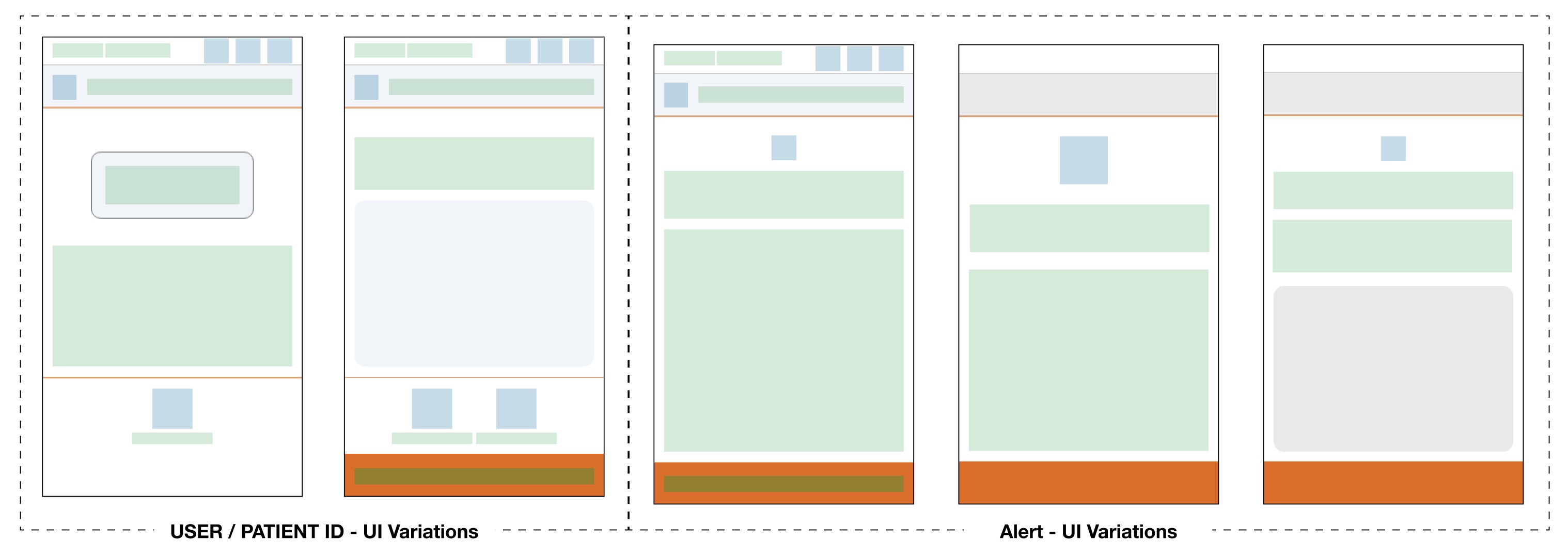
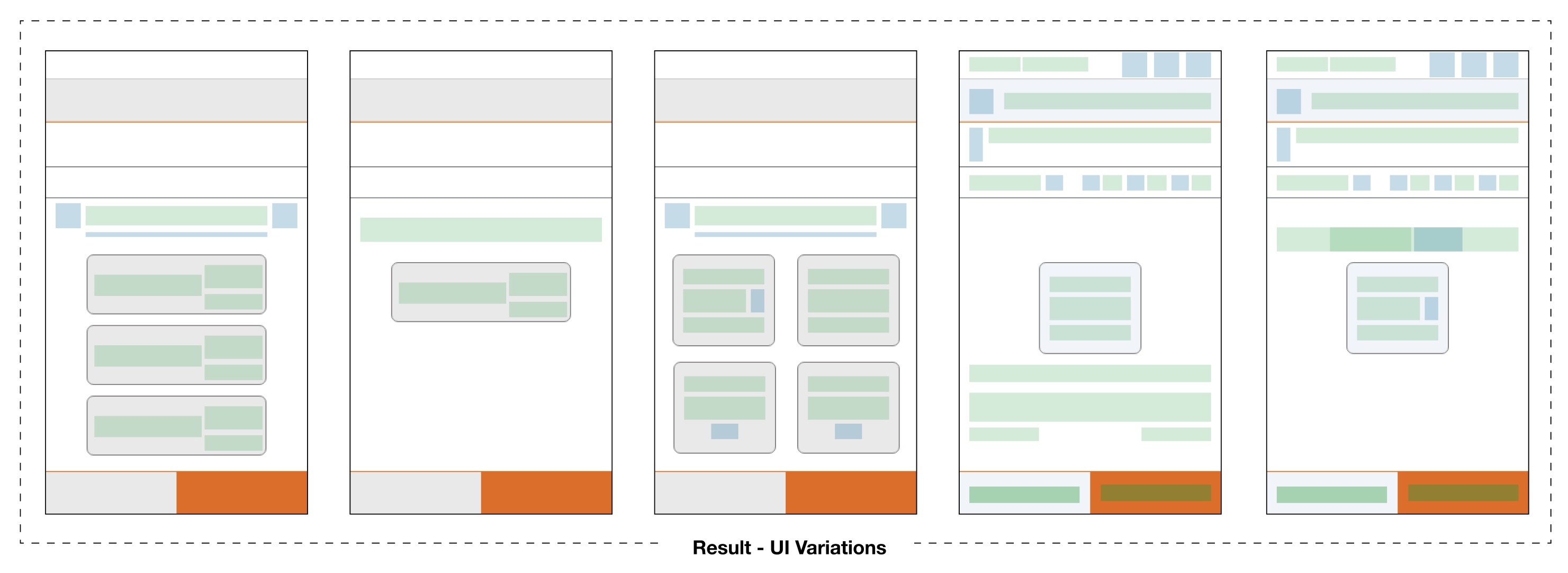
The biggest design challenge was not creating a new UI; it was Adapting the CIP design system to an existing product with legacy constraints.
This meant:

  • Mapping CIP layouts onto existing workflows
  • Preserving critical behaviors while improving clarity
  • Creating consistent interaction patterns across all screens

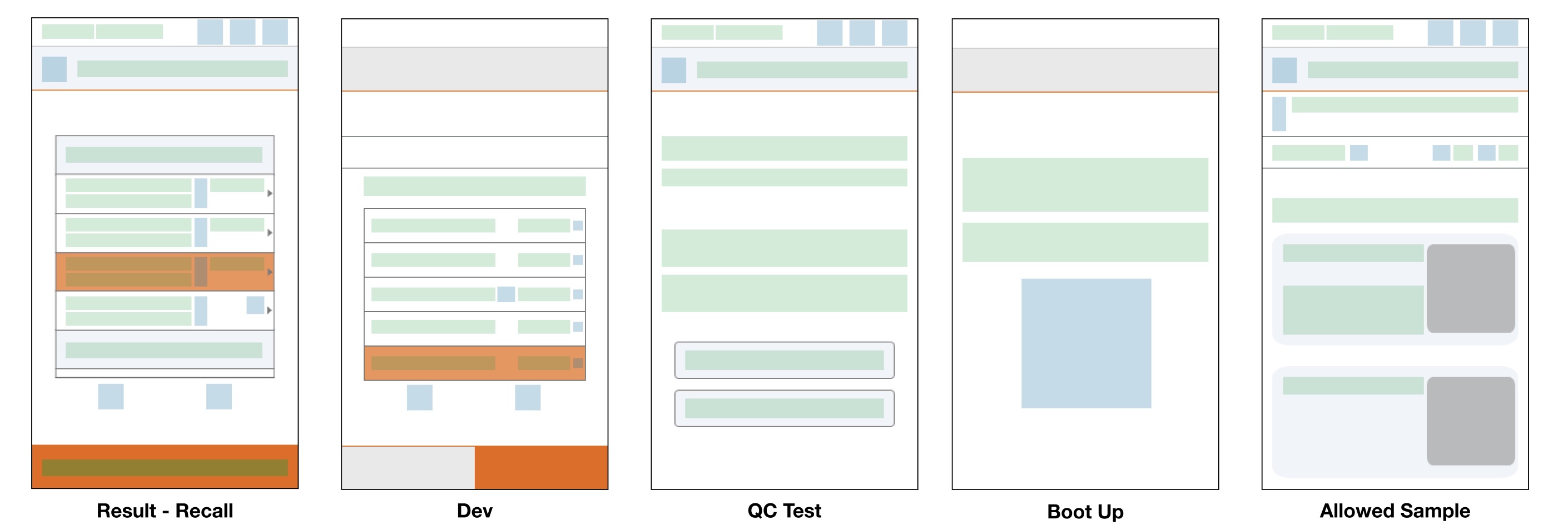
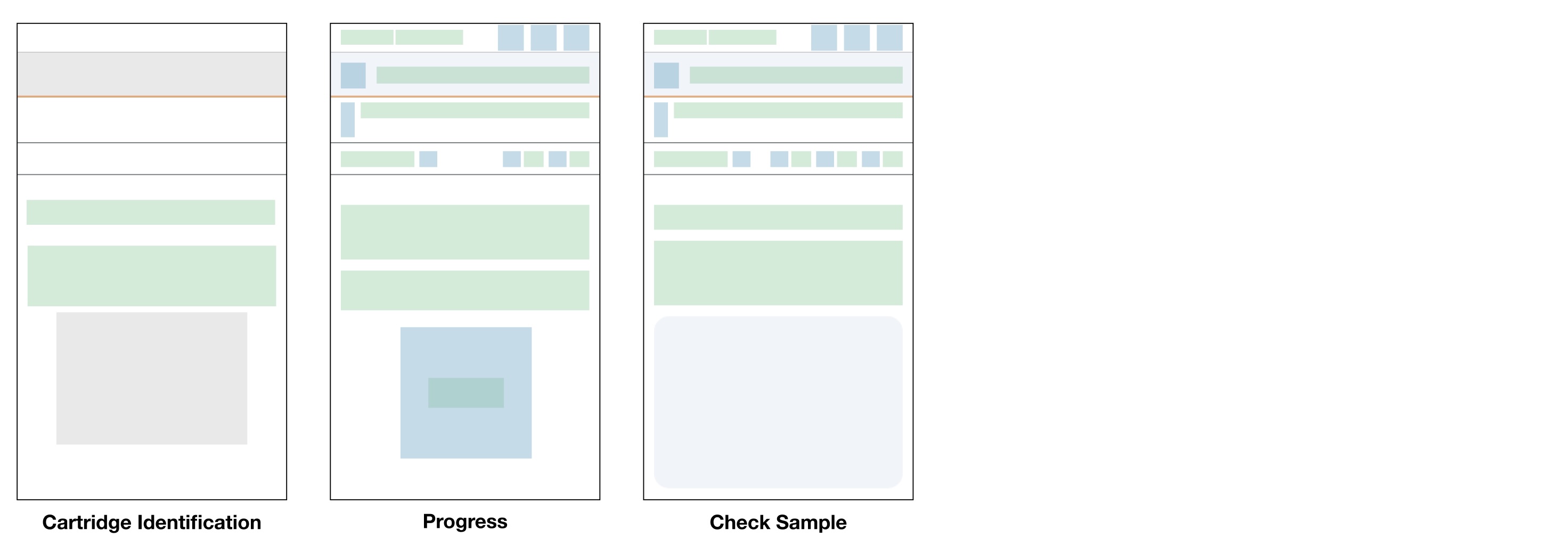
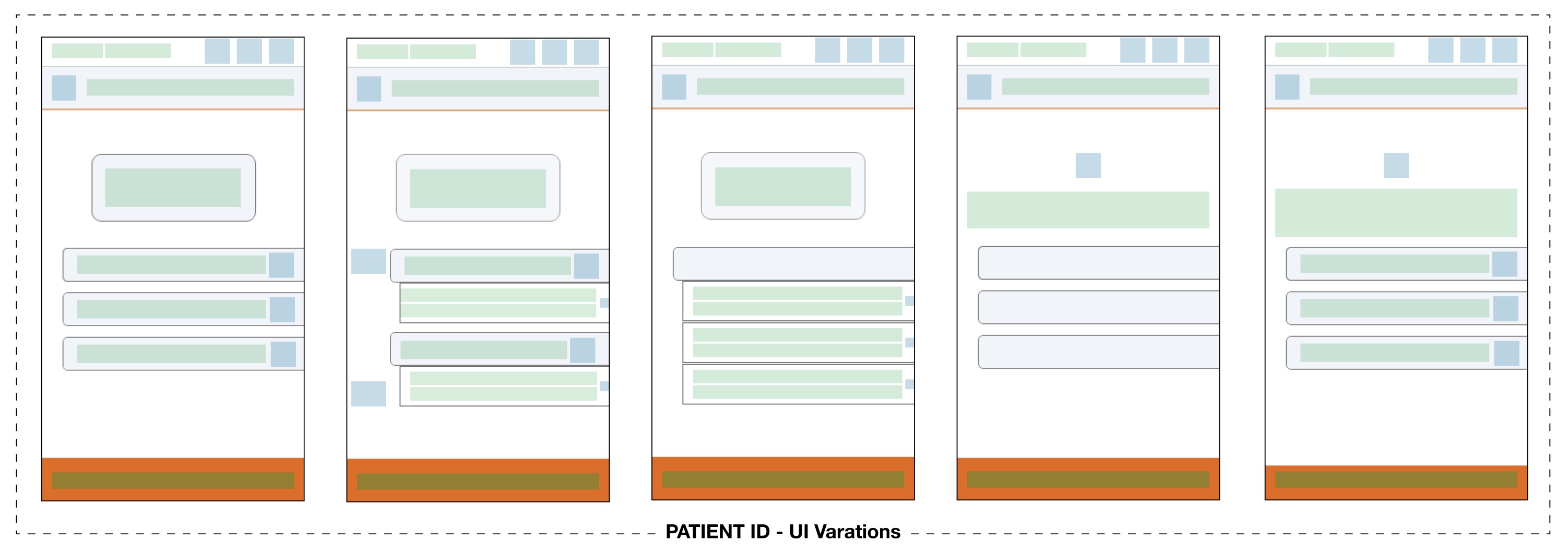
Low-fidelity wireframes were used to explore multiple variations before finalizing direction.

Key Workflows

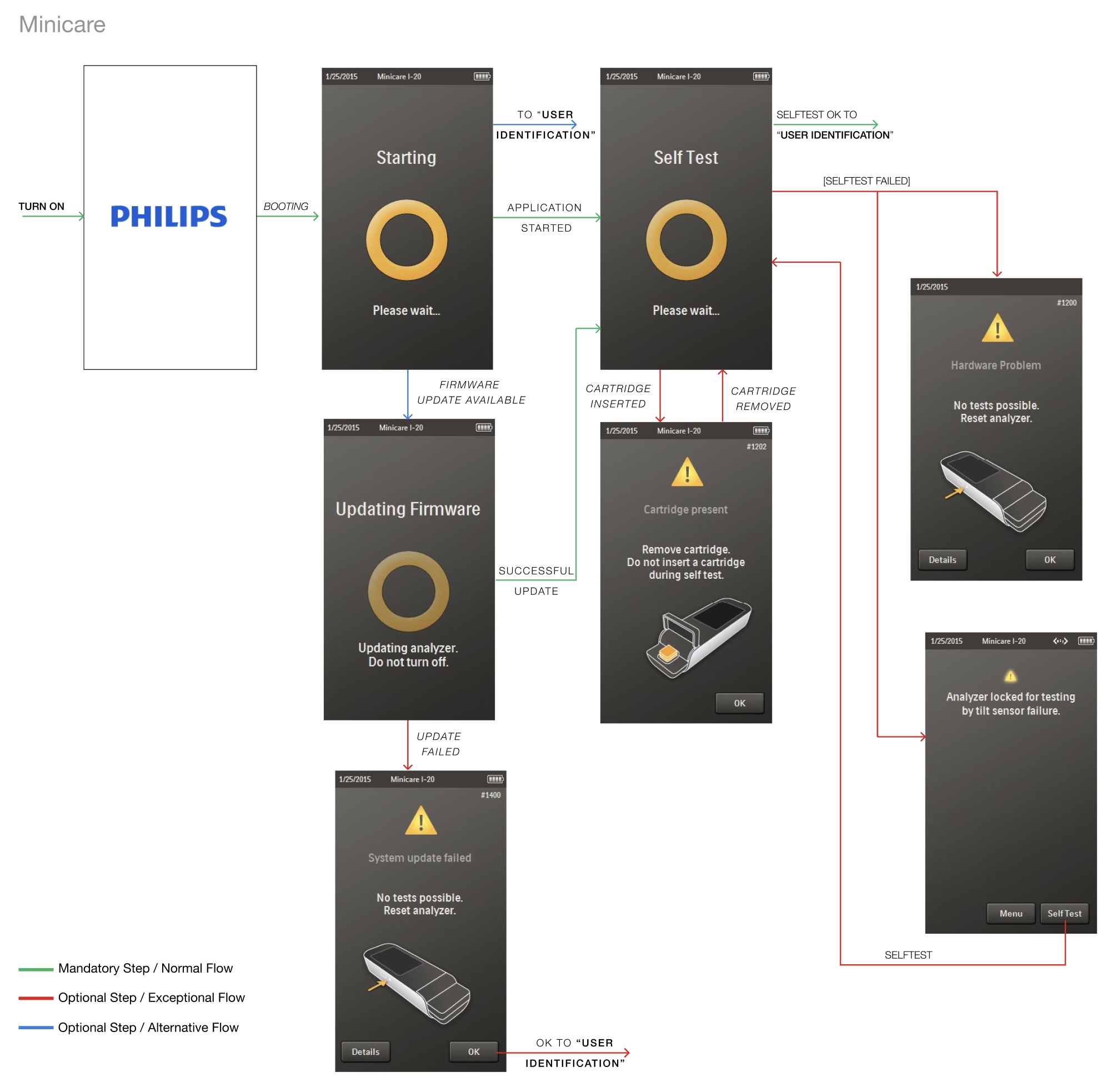
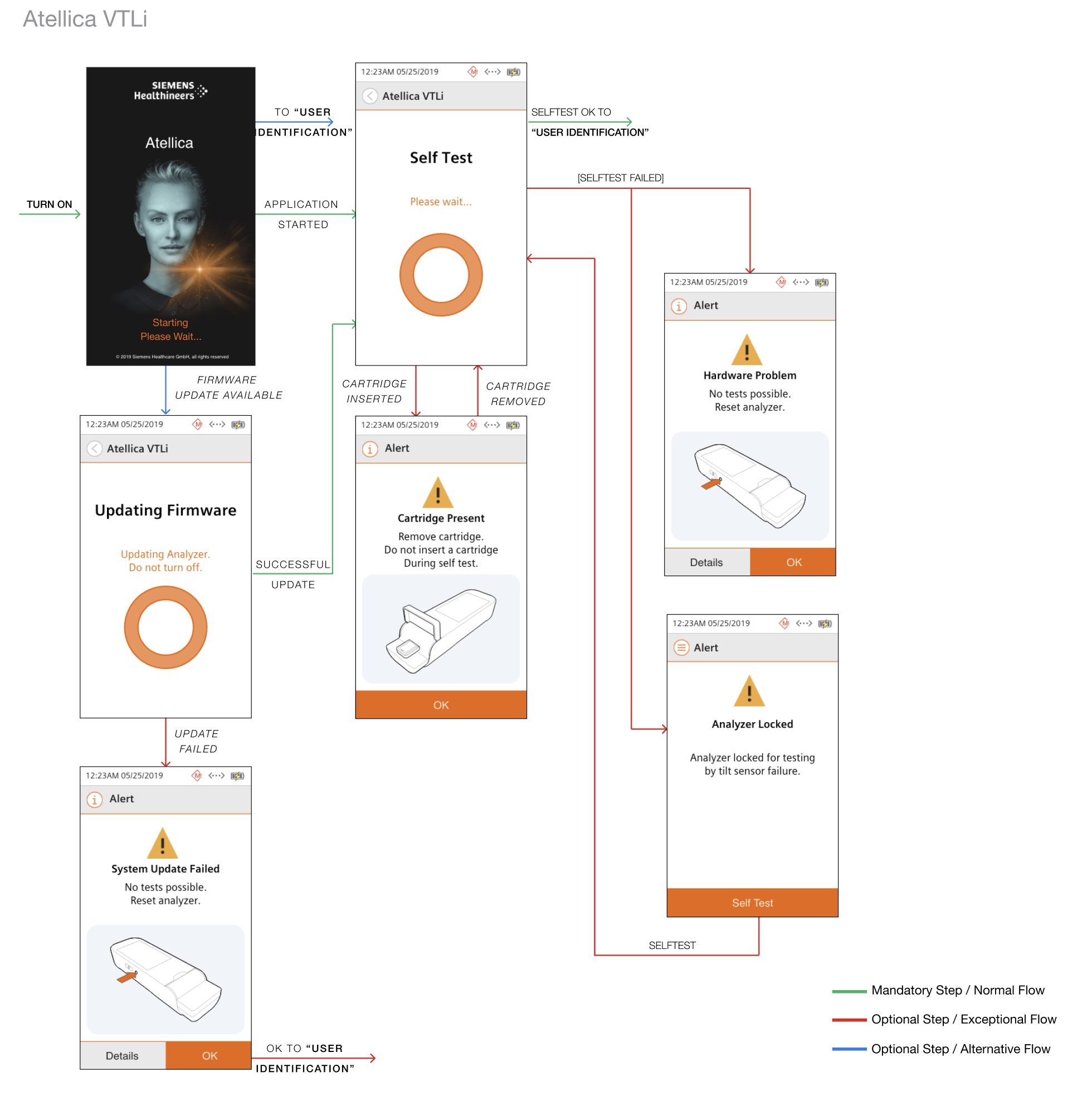
Booting & Self-Test

This is the first interaction clinicians experience. The workflow was redesigned to:

  • Clearly communicate system state
    (booting, updating, errors)
  • Reduce ambiguity during firmware updates
  • Ensure safe transitions into user identification

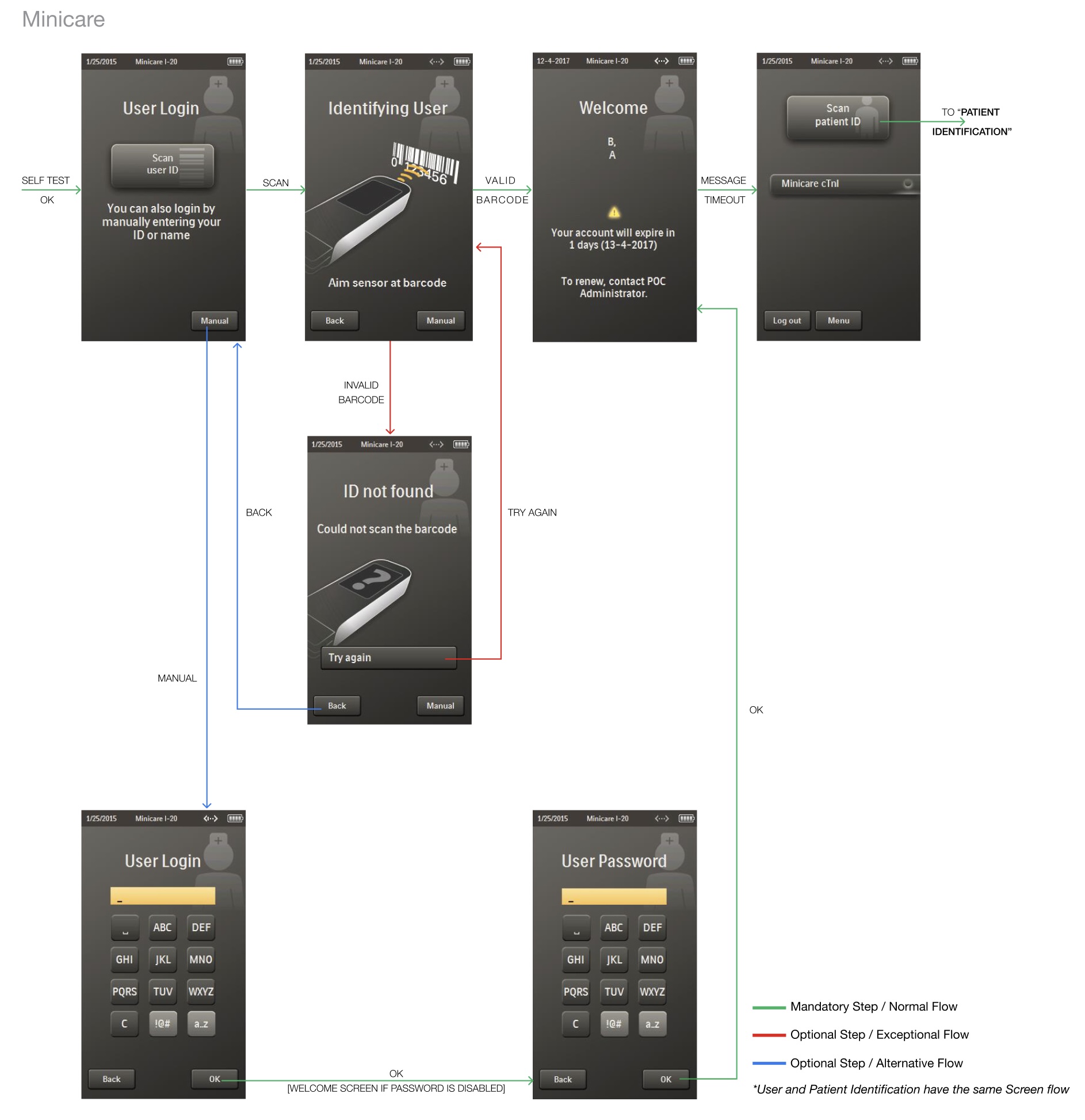
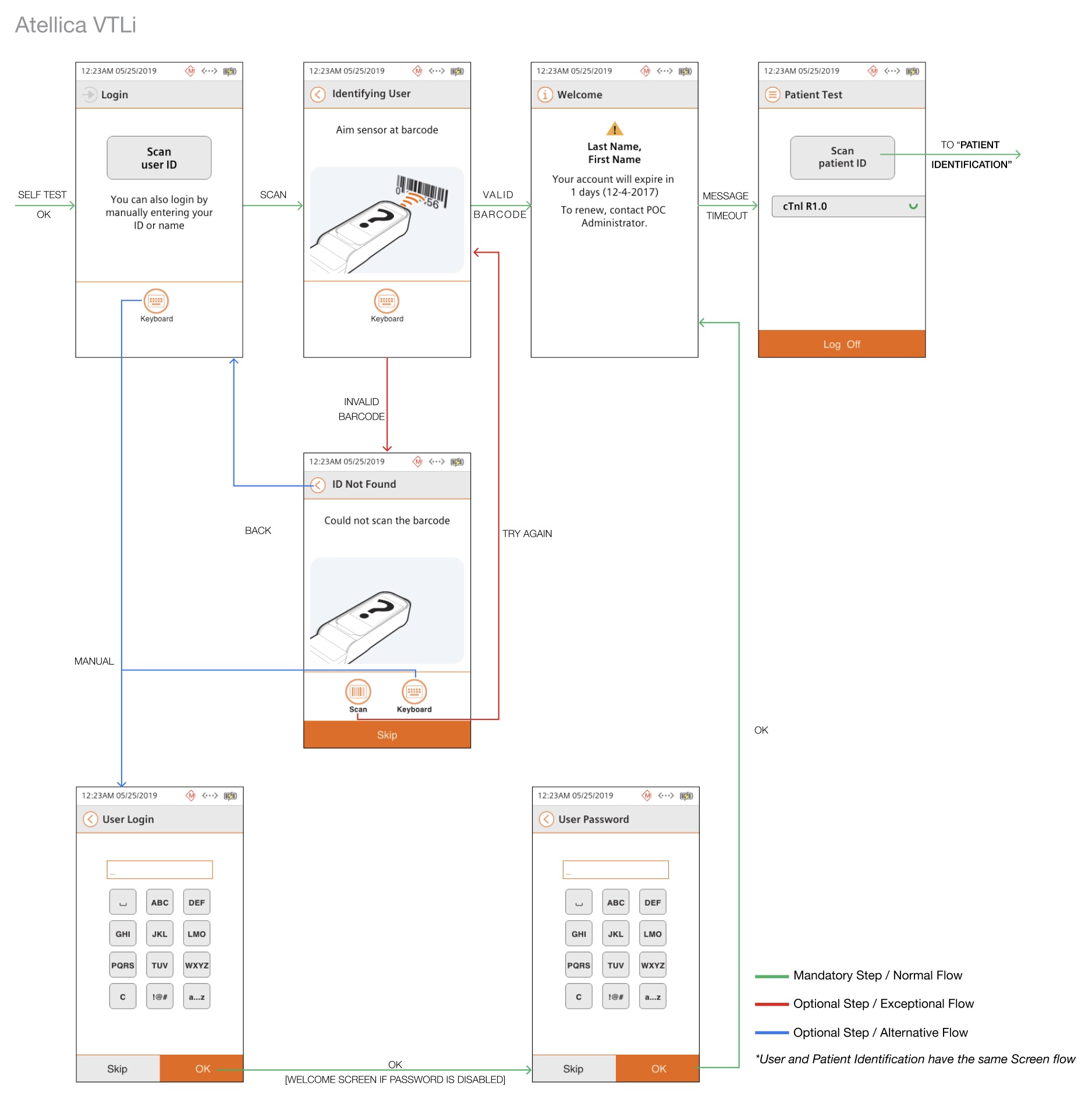
User & Patient Identification

A critical step tied to patient safety. Improvements included:

  • Standardized barcode scanning flows
  • Clear error handling (invalid scan, timeout)
  • Consistent transitions between user → patient identification

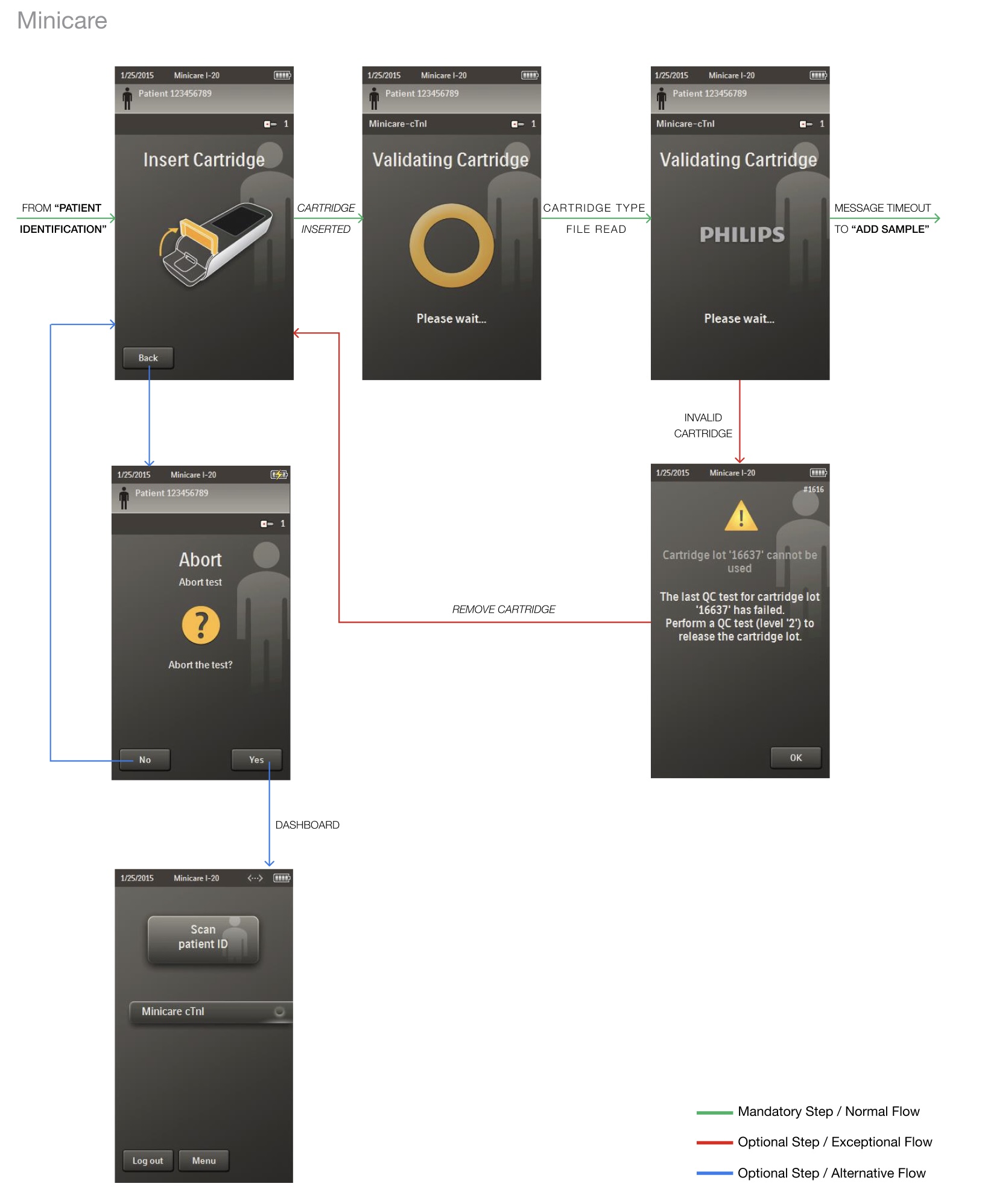
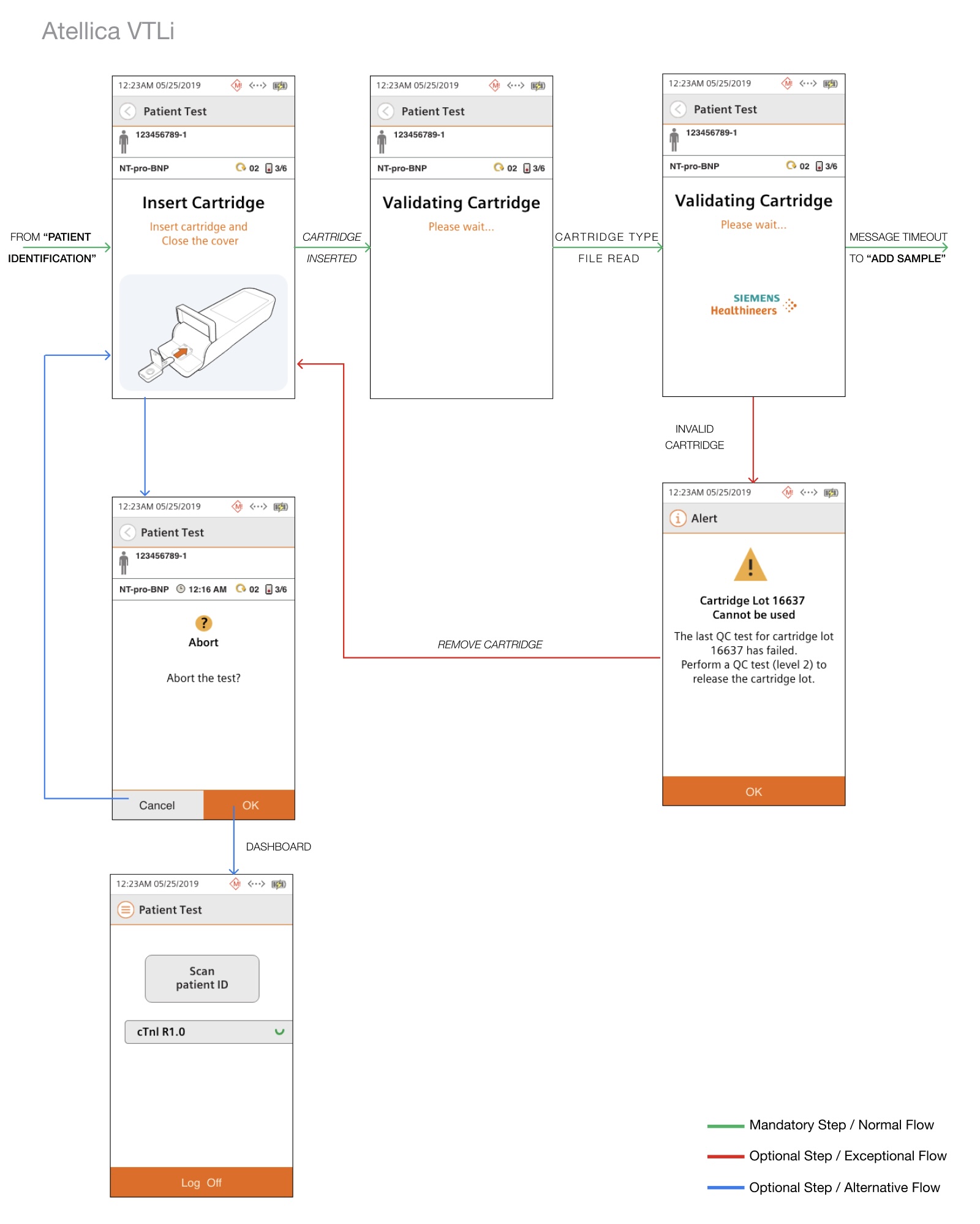
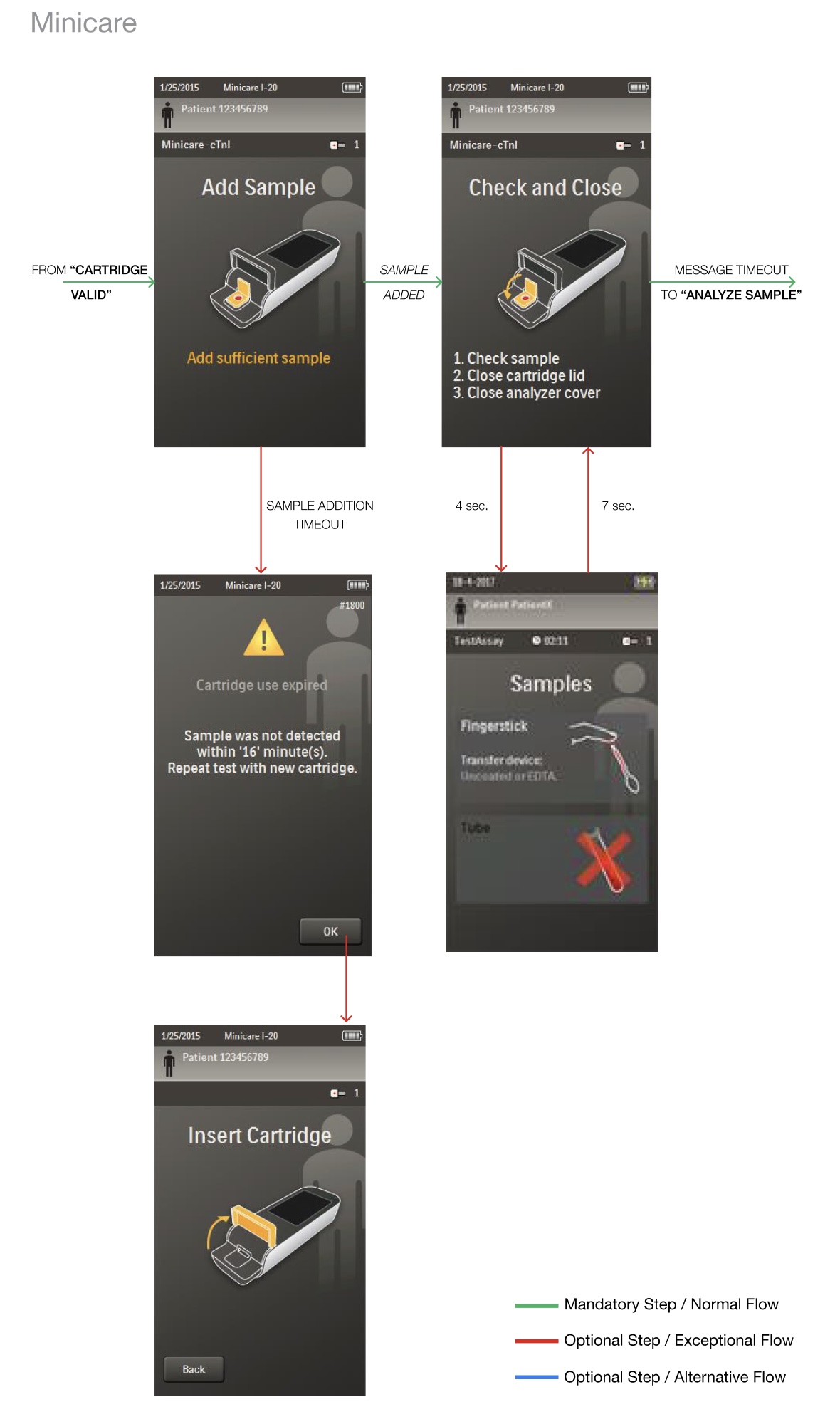
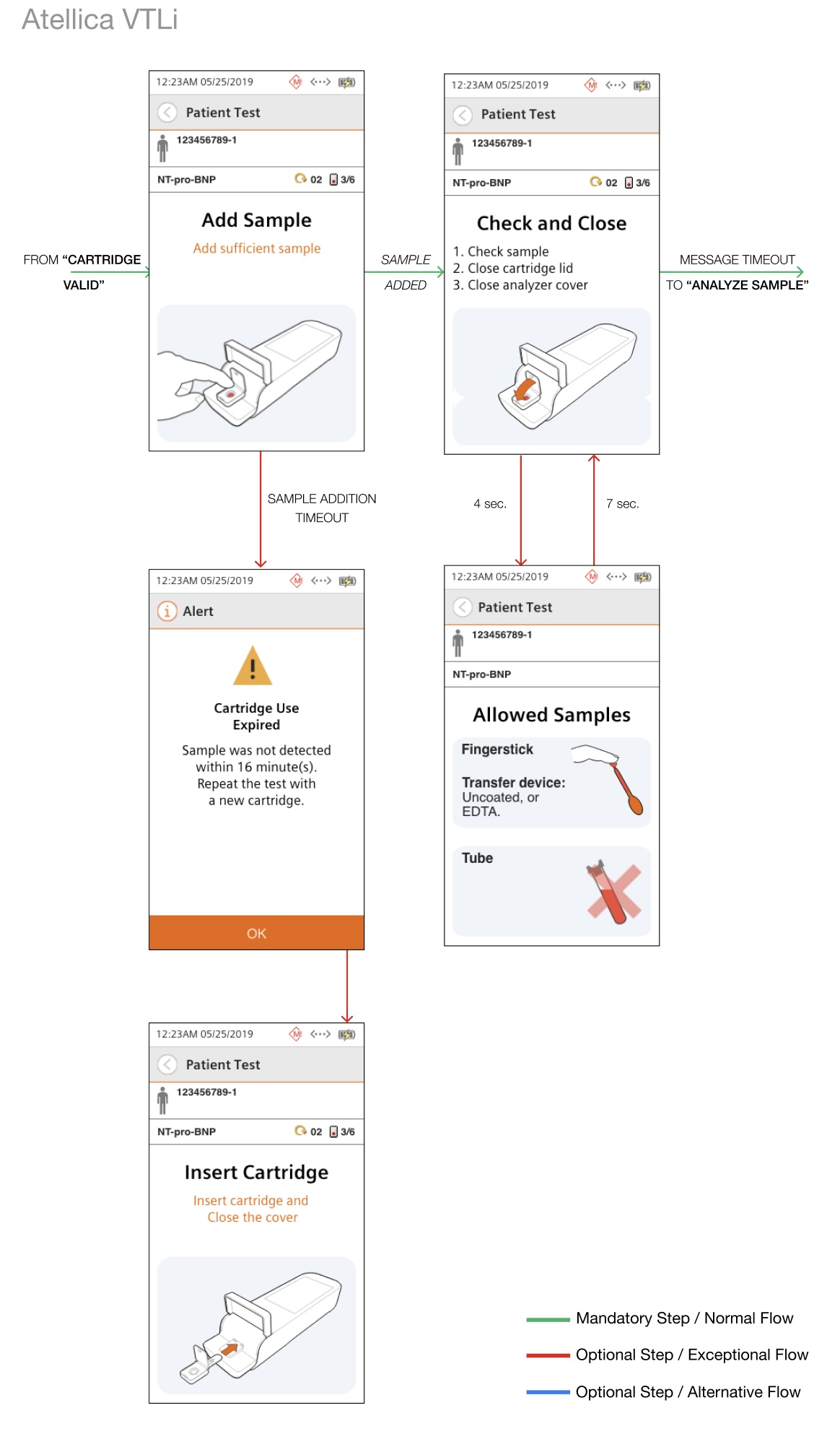
Cartridge & Sample Handling

This stage is highly sensitive to physical interaction + system validation.
Design improvements:

  • Cartridge validation feedback
  • Error messaging for invalid insertion
  • Sample timing states (timeouts, confirmations)

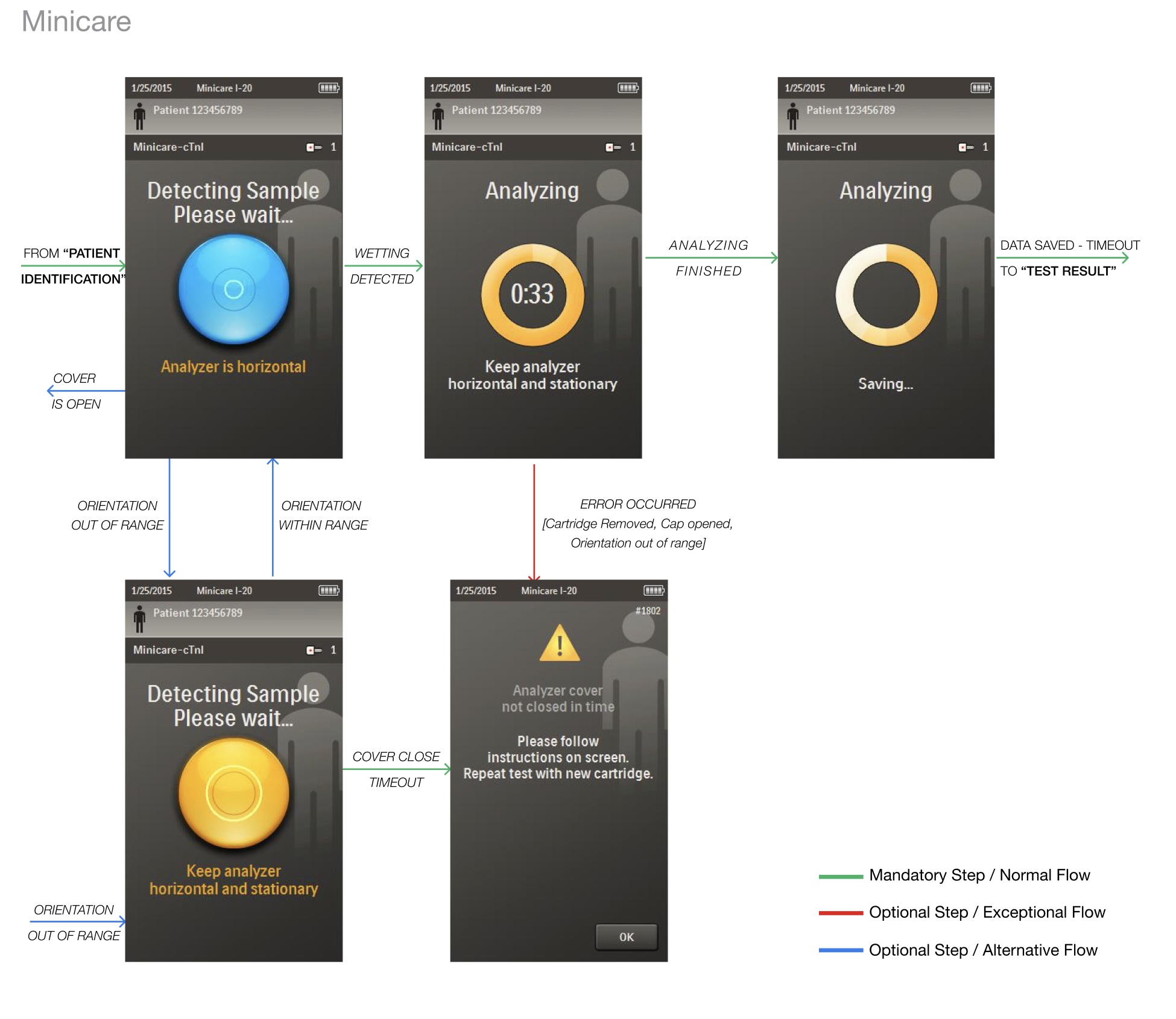
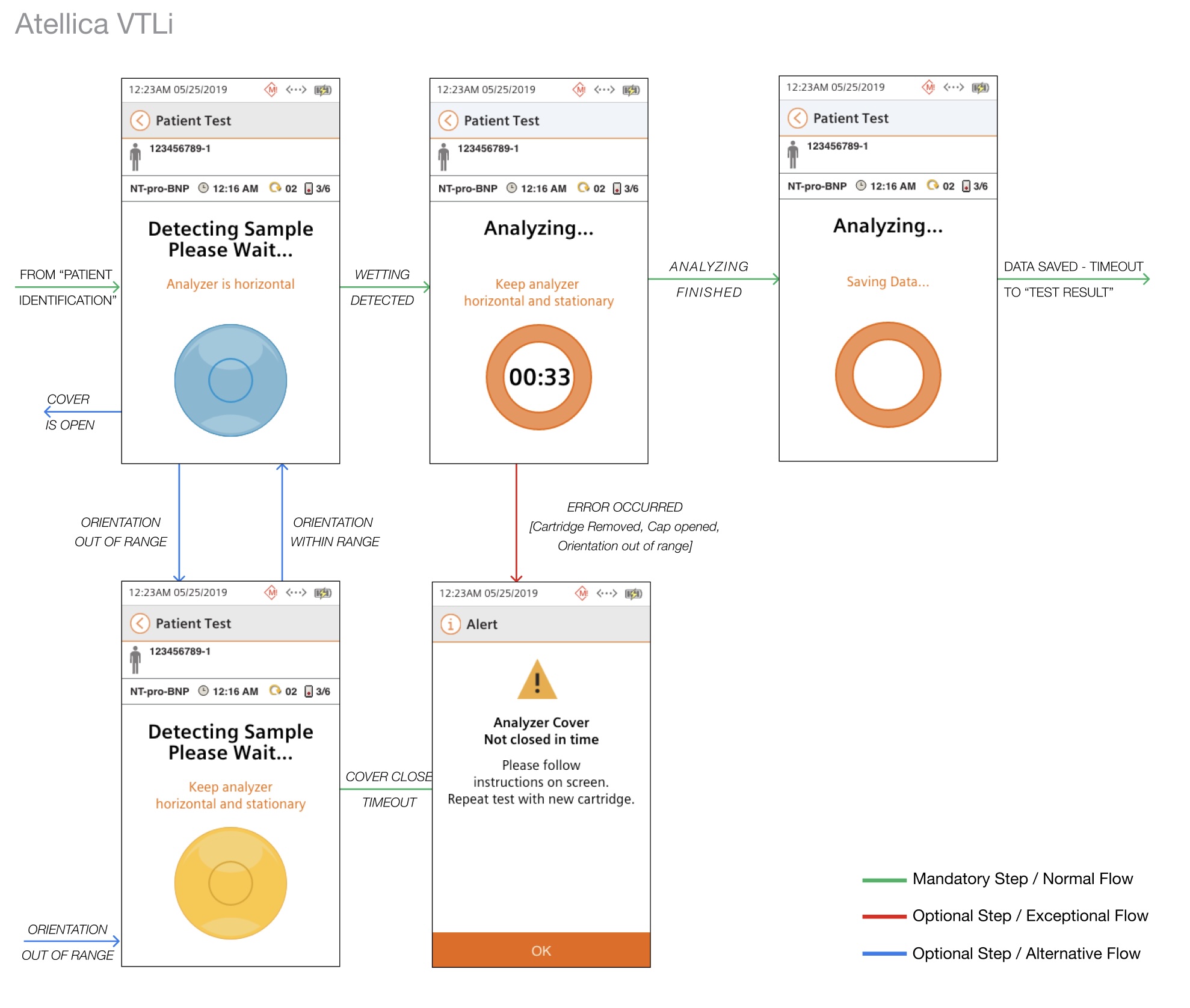
Sample Analysis

A critical moment where users must trust the system. Design improvements:

  • Clear progress indicators during analysis
  • Real-time feedback (orientation errors, wetting detection)
  • Structured error states to guide recovery

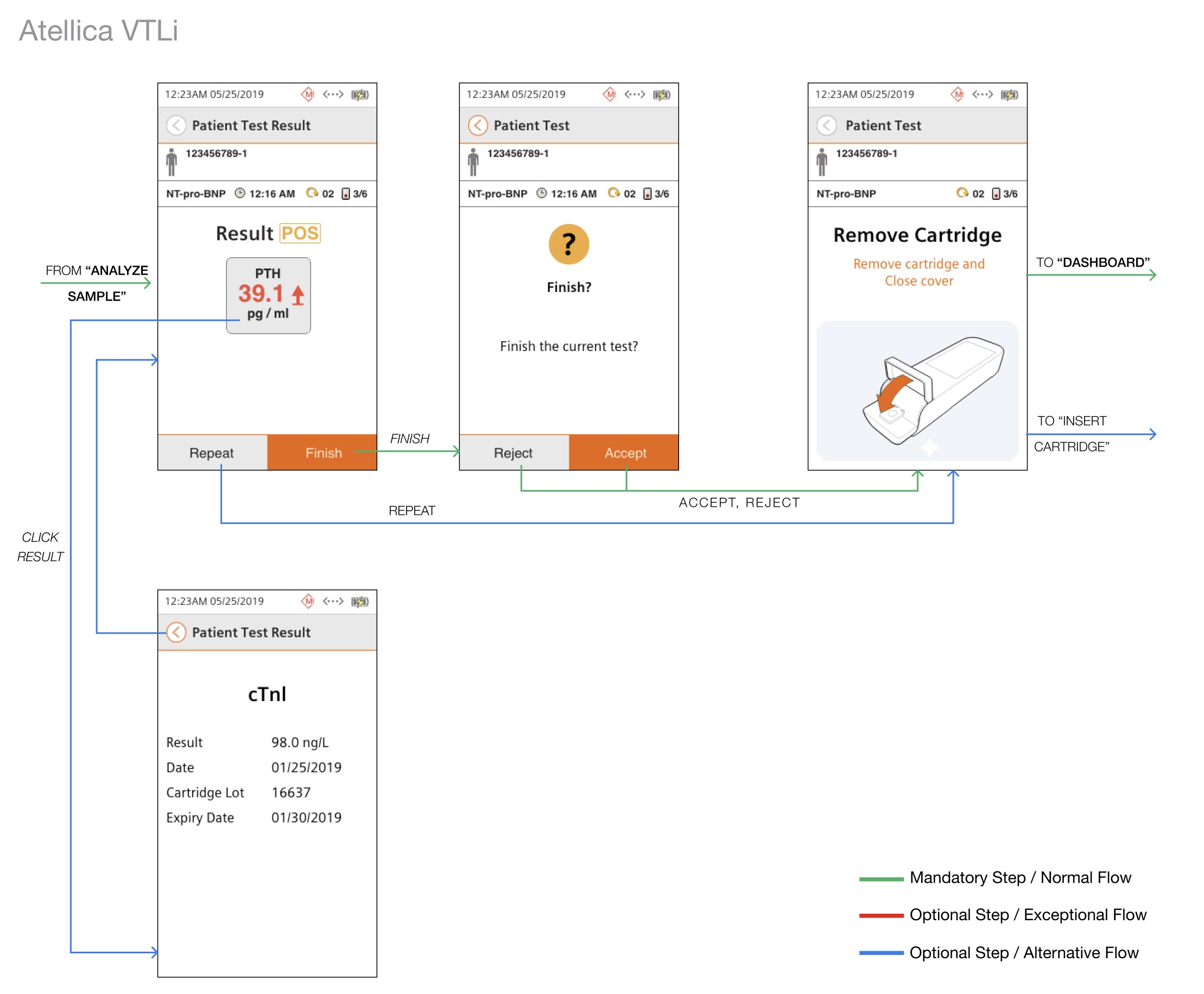
Results & Review

Final step where clinical decisions are made; focused on:

  • Clear result presentation
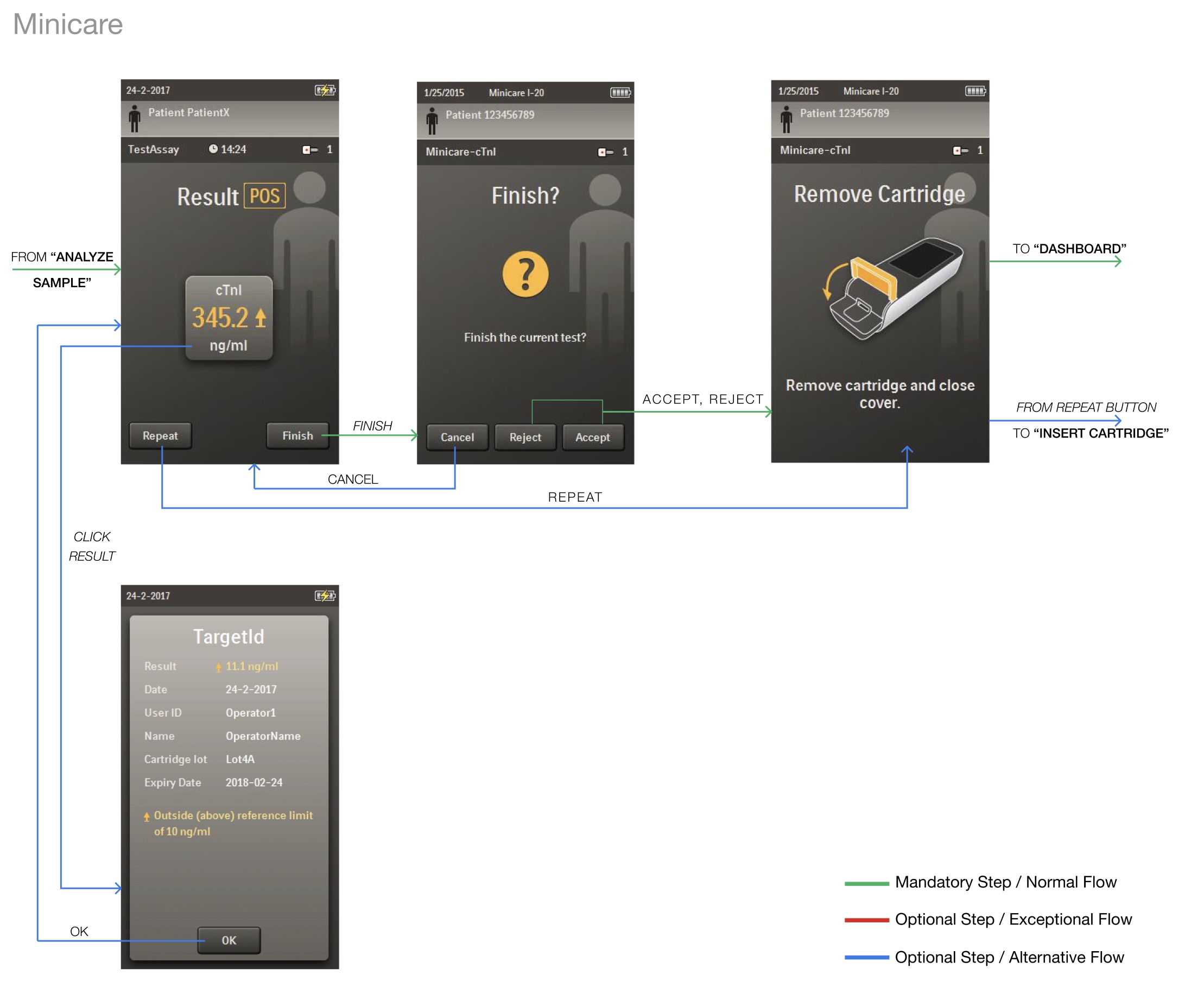
  • Actions: accept, reject, repeat
  • Easy navigation back to workflow or
    new test

Low Fidelity Prototype based on CIP (UI Design Adaptation)

First slide
First slide
First slide
First slide
First slide
First slide

High Fidelity Prototype based on CIP (UI Design Adaptation)

User Workflow: Booting & Self Test
minicare booting
vtli booting
User Workflow: User Identification
minicare user identification
user identification
User Workflow: Insert Cartridge
First slide
First slide
User Workflow: Add Sample
First slide
First slide
User Workflow: Analyze Sample
First slide
First slide
User Workflow: View Test Result
First slide
First slide

Impact

  • ~8 minutes turnaround time for test results
  • Secure data transmission (TLS 1.2, Wi-Fi/Ethernet integration)
  • Improved usability in high-pressure environments (ER workflows)

More importantly:
The product became a scalable foundation for future
point-of-care devices within the Atellica ecosystem.

User Workflow: Booting & Self Test
vtli run patient sample

Key Learnings

Designing in Regulated Environments Requires Systems Thinking

Every screen is connected to safety,
workflow, and compliance.

Adaptation

The goal was not to redesign everything,
but to evolve an existing system without breaking it.

Break Complexity into Modules

Decomposing workflows into smaller units
allowed faster iteration and better collaboration.